
Stop typing the same thing twice.
Shorthand is a text expander built for the Mac. Give any phrase a short abbreviation, and it fills in the full text wherever you type. It imports your TextExpander library, too.
;sig becomes
Best,
John Kirker
John Kirker Inc. · shorthandexpander.com
;addr→ your mailing address
;zoom→ your meeting link
;today→ today’s date, any format
;thx→ a thank-you you’d write anyway
;bug→ a bug-report template with blanks
;sig→ your signature
What it does, in five lines.
01 / Fill-ins
Blanks, menus, and optional paragraphs
One snippet covers every version of a reply. Shorthand asks, you pick, and the text appears.
02 / AI
Rewrite anything you’ve selected
Press ⌃⌥A. Choose from 12 providers, including local models, with a backup if one is down.
03 / Privacy
Hands off your bank and password manager
Block apps and websites, and Shorthand stops listening there. It asks first in apps it hasn’t met.
04 / Security
Encrypted, and locked with Touch ID
Optional AES-256 encryption for snippets and backups. Unlock the app with Touch ID, Apple Watch, or a password.
05 / Organizing
Tags, Trash, and ⌘Z
Select many snippets at once, tag them, move them, and undo any change.
Already have a TextExpander library?
Shorthand imports it directly, including fill-ins, date math, nested snippets, and per-app rules. Your lifetime count of characters saved comes along too.
Settings.textexpander
group files
backups
CSV
Coming from aText, TypeIt4Me, Typinator, Rocket Typist, Text Blaze, Espanso, Raycast, or Alfred? Shorthand imports those too. See every switching guide
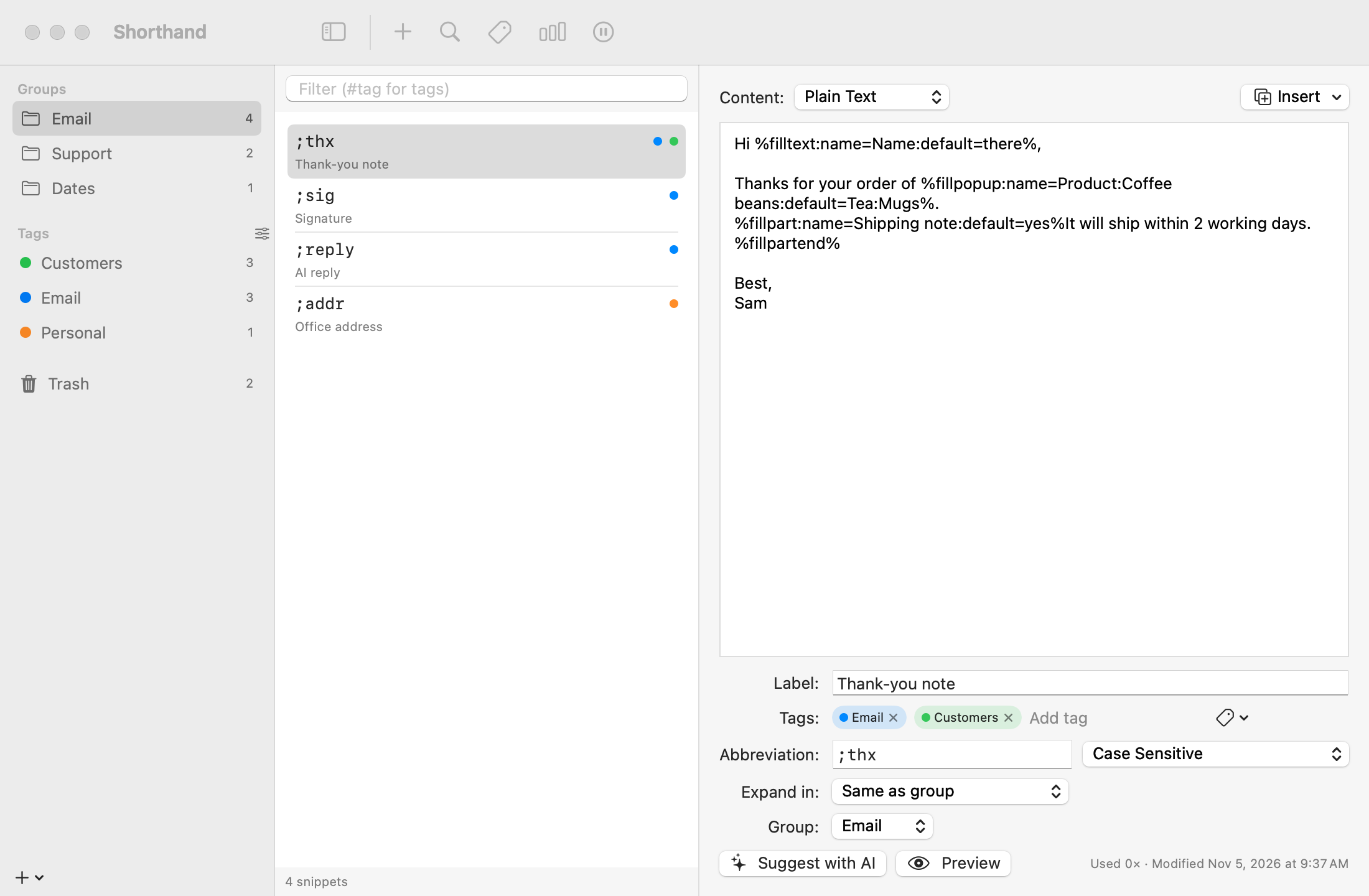
Fill-ins
Ask once for the parts that change.
A snippet can ask for a name, offer a menu of choices, or include an optional paragraph. A small window collects the details with a live preview, then the finished text appears where you were typing.
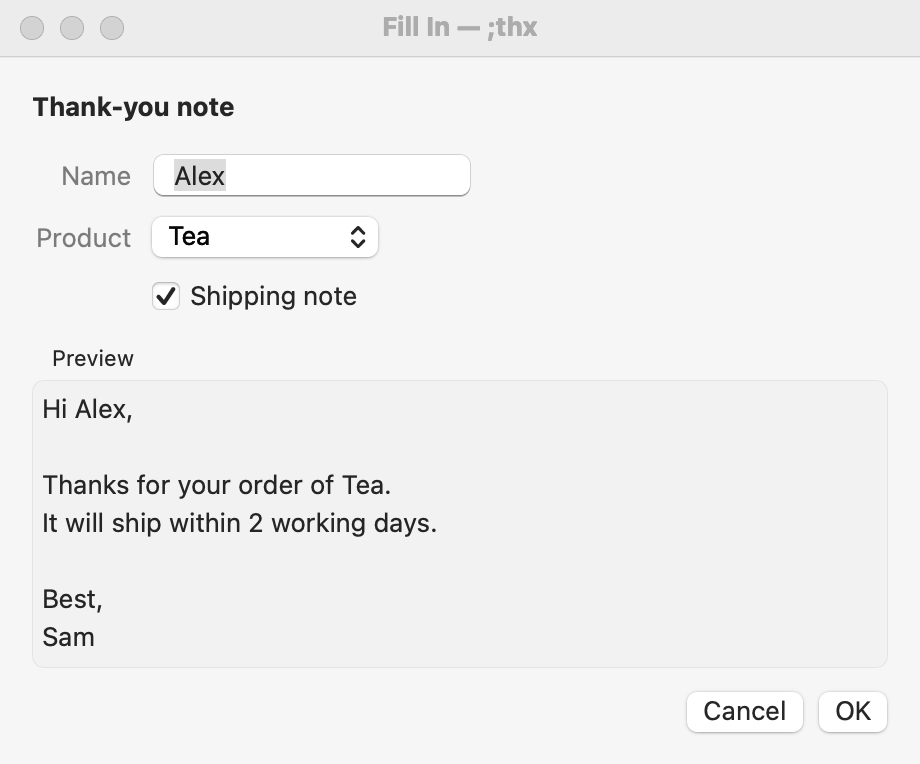
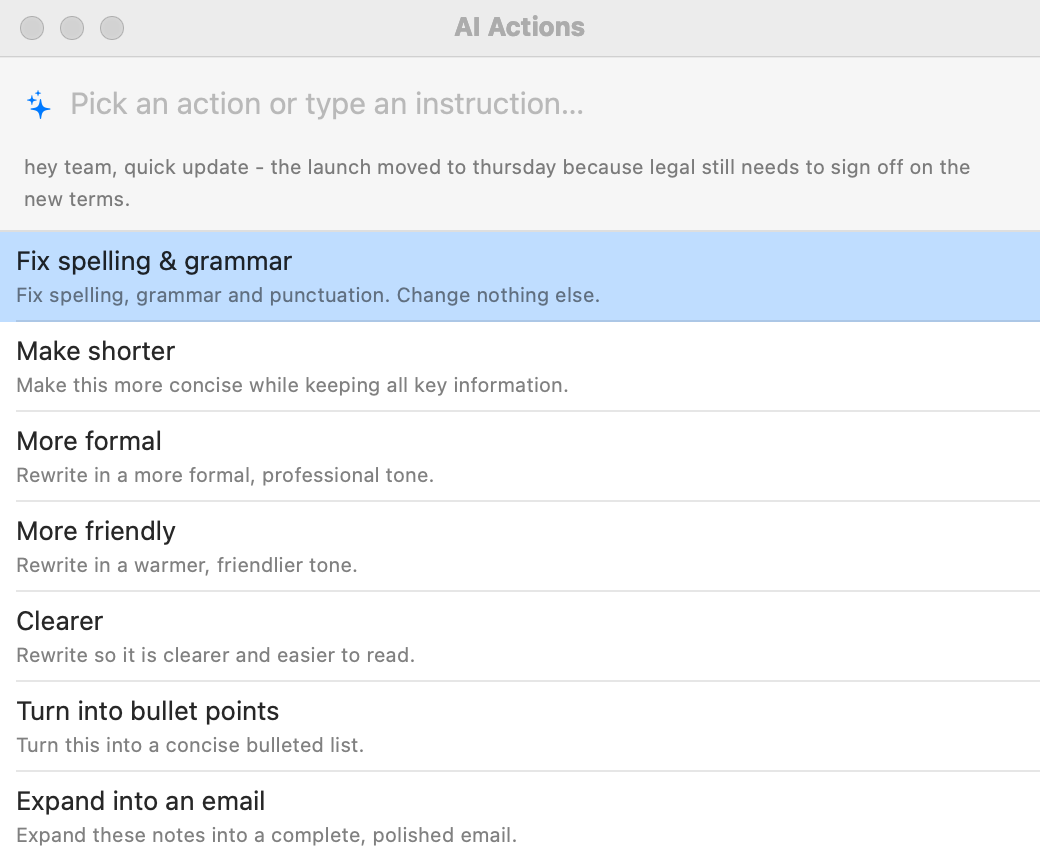
AI Actions
Select. Press ⌃⌥A. Done.
Fix the grammar, make it shorter, change the tone, or type your own instruction. The result replaces your selection in any app. Bring your own key for Claude, ChatGPT, Gemini, a local model, or eight others, with a fallback provider if the first one fails.
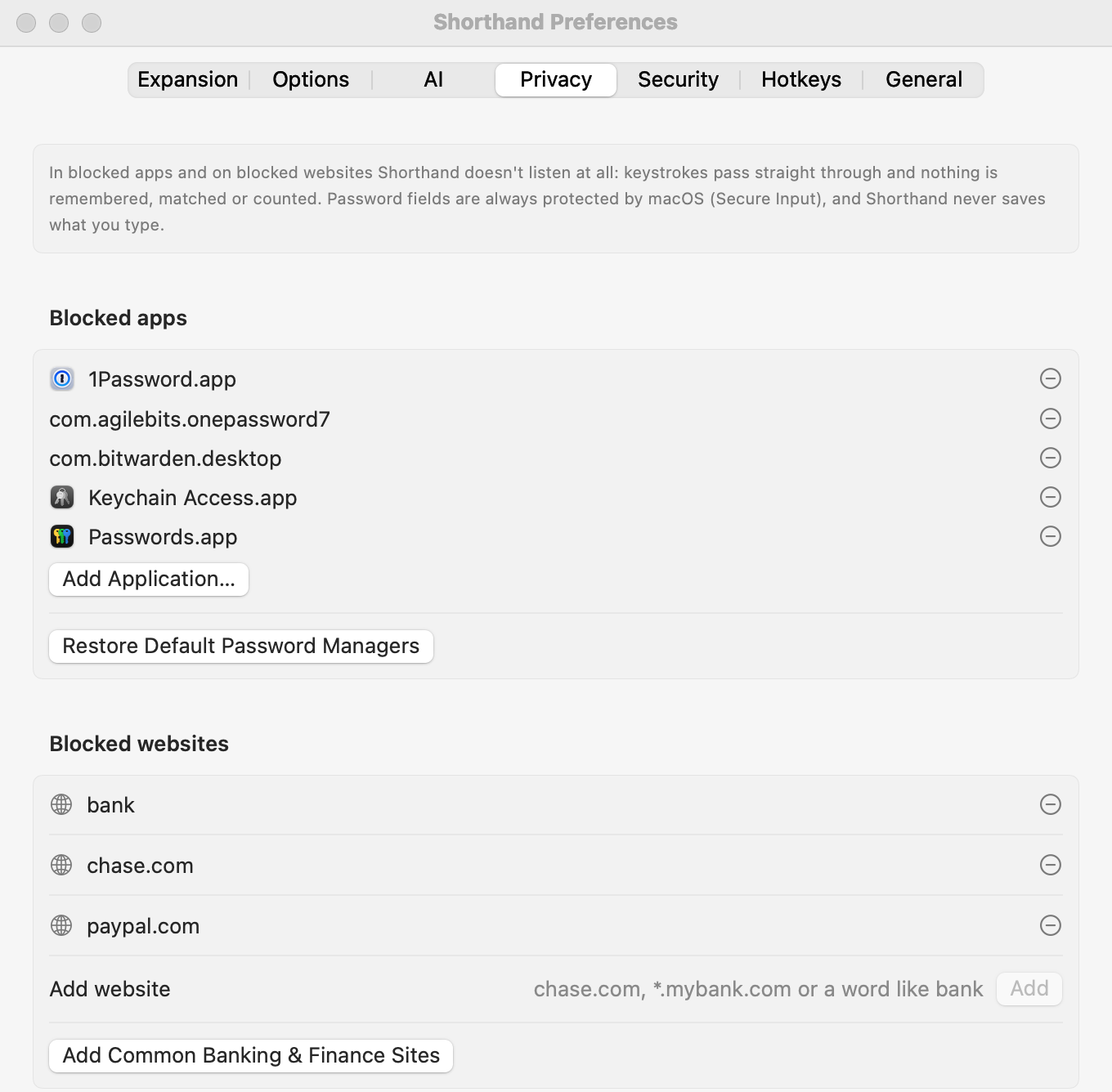
Privacy blocklist
It stops listening where it should.
Password managers are blocked out of the box. Add your bank’s website or any app, and Shorthand ignores every key there: nothing is buffered, matched, or counted. The first time you use a new app, it asks before it works there.
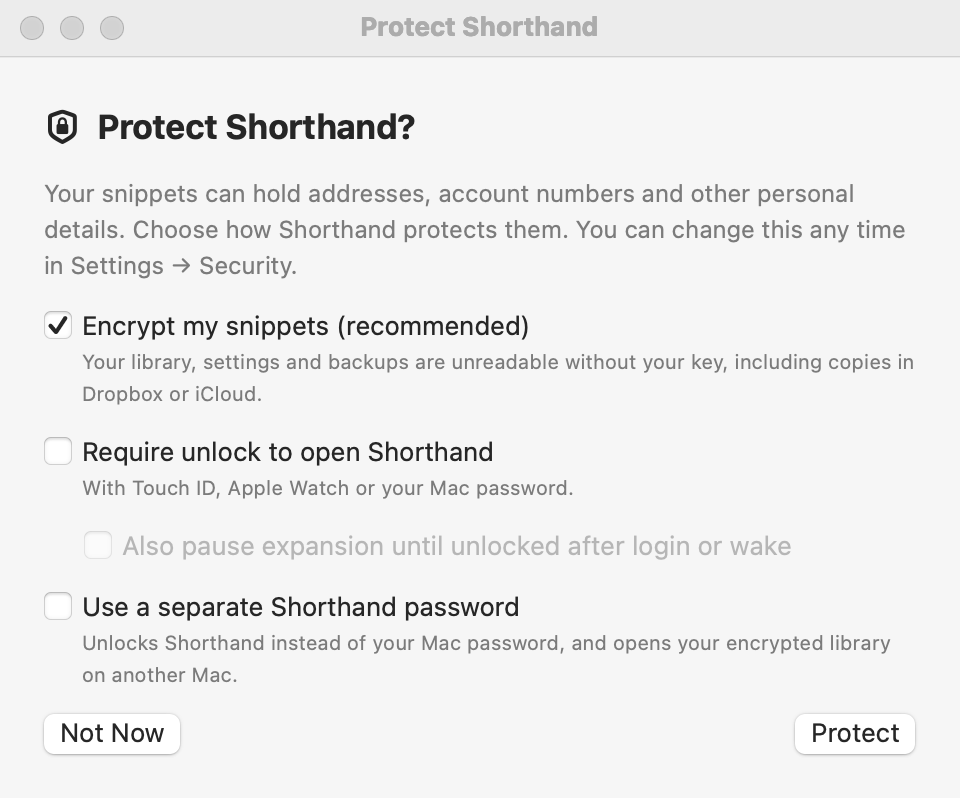
Security
Encrypted, if you want it.
Turn on AES-256 encryption for your snippets, settings, and backups, with a recovery key only you hold. Lock Shorthand’s windows behind Touch ID, Apple Watch, or a password, and lock them again whenever your Mac sleeps.
;go
Download it, bring your snippets, keep typing.
A signed, notarized disk image. Drag Shorthand to Applications, allow Accessibility access once, and you’re set. Updates install themselves.
macOS 14 or later · Apple Silicon · No account needed